In the reel I promised to send a guide on connecting NVIDIA's free models to Claude Code. Here it is: the key, one setting, a ready-made prompt and a script that switches on free mode when your Claude subscription hits its limit. The plain claude command stays on your subscription.
First, the main thing to know in advance. The access is free but it is a trial: about 1,000 requests after signing up and no more than 40 a minute. Besides an email, NVIDIA asks you to verify a phone number by SMS, and +7 numbers (Russia and Kazakhstan) are currently not on the list. What to do about it is covered below.
The guide follows the NVIDIA, LiteLLM and Claude Code documentation as of 30 September 2026. We tested the setup from the kit live: the LiteLLM proxy starts, serves the four models, accepts Claude Code requests and forwards them to NVIDIA. Model answers on a real key were not part of this test: NVIDIA issues a key only after signing up with a phone.
Get the key on build.nvidia.com while you still have some Claude limit left, paste the ready-made prompt into Claude Code and keep the claude-nvidia command at hand. Use Kimi K3 for code and DeepSeek V4.1 Flash for huge files. Do not send client code, passwords or personal data through the trial access.
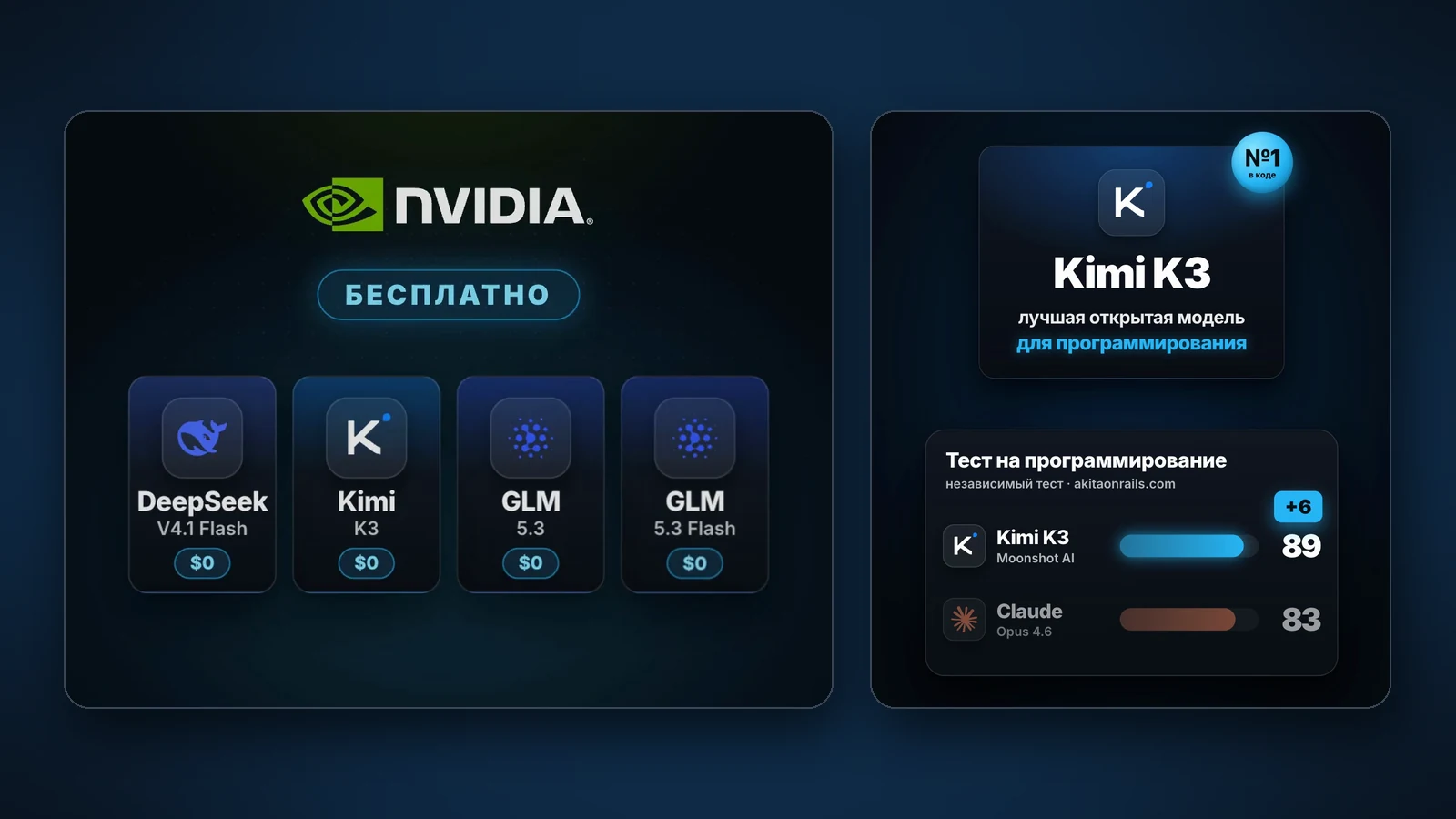
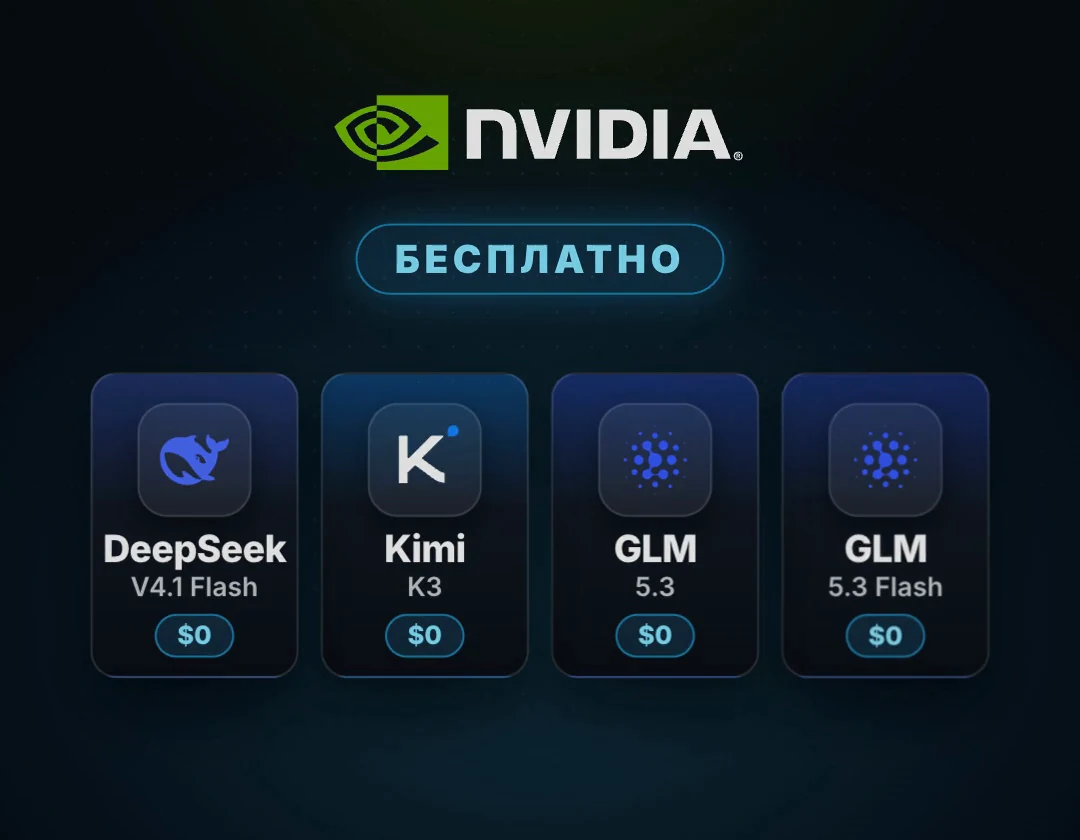
Four strong open models with one key
NVIDIA Build is NVIDIA's model catalog with a free trial API. Every model page says Free Endpoint: Available and has a Generate API Key button [1][3]. One key opens every model in the catalog, including the four from the reel.
Why it pays off: NVIDIA's partners charge for the same models. For example, Kimi K3 costs 3 dollars per million input tokens and 15 dollars per million output tokens at OpenRouter and Together AI [1]. Here the trial access is free.
The main scenario: you work in Claude Code on a subscription, the limit runs out, you start Claude Code through the NVIDIA key and carry on with the task. All four models have a window of up to 1 million tokens [1][2][3][4], so a big project or a whole book fits into a request.
- Kimi K3 (moonshotai/kimi-k3): about 2.8 trillion parameters, code and long agent tasks [1]
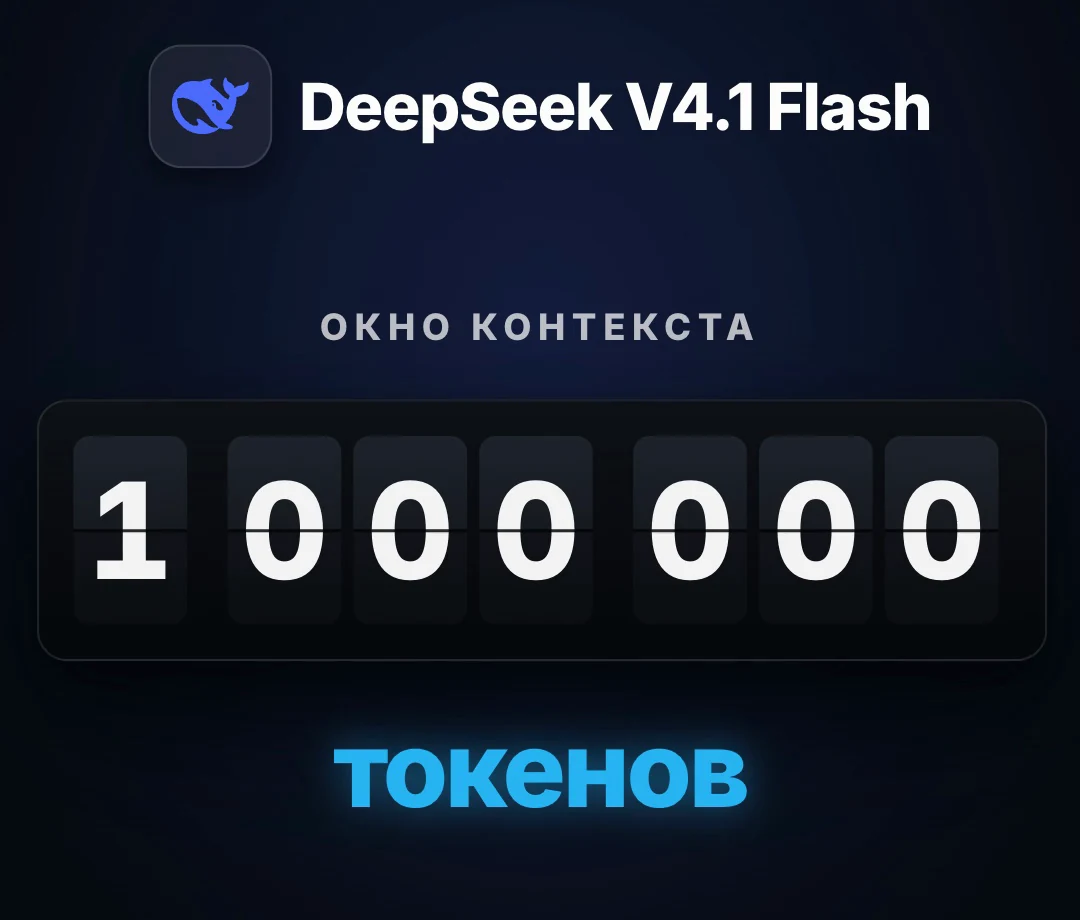
- DeepSeek V4.1 Flash (deepseek-ai/deepseek-v4.1-flash): fast, 552 billion parameters with 8 billion active, a 1M-token window [2]
- GLM 5.3 (z-ai/glm-5.3): 753 billion parameters, complex code and long agent work [3]
- GLM 5.3 Flash (z-ai/glm-5.3-flash): light, 320 billion parameters with 18 billion active, quick small tasks [4]
Every claim checked against sources
The reel is short, so some details did not fit. Here is each claim with what it looks like in reality.
- “Free”: yes, but it is a trial. About 1,000 credits after sign-up, up to 5,000 on request, no more than 40 requests a minute [6]. Production use is not allowed [5]
- “No card needed”: yes, no card is asked for [6]
- “An email is enough”: almost. To create a key, NVIDIA asks you to verify a phone by SMS [13], and +7 numbers are currently not on the list [7]
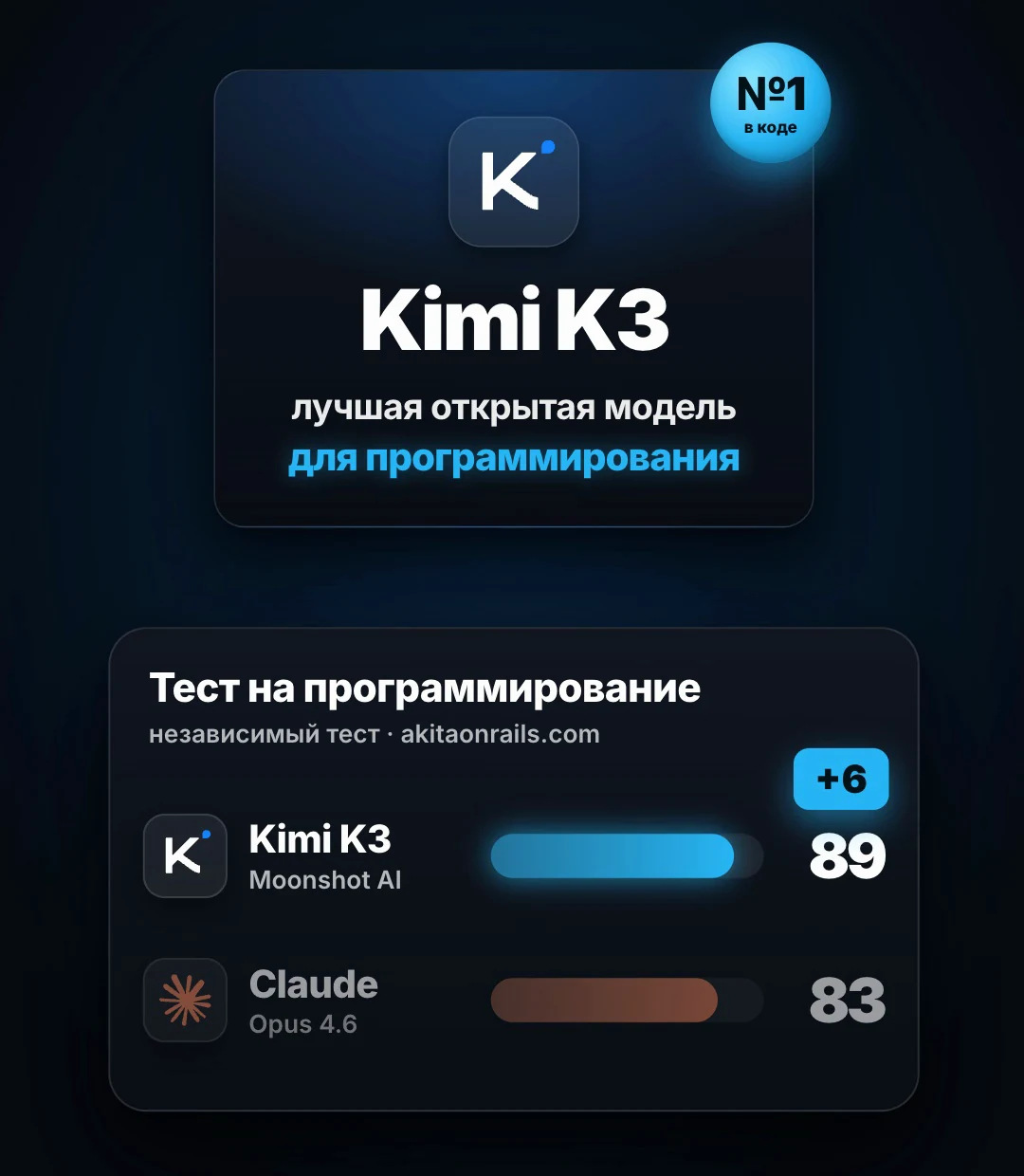
- “Kimi K3 beats Claude Opus 4.6”: yes, 89 points against 83 in an independent test. The newer Claude Opus 4.8 scored 95 there [12]
- “The key plugs into Claude Code”: yes, through a translator. Claude Code speaks Anthropic's protocol and NVIDIA speaks OpenAI's, so the free LiteLLM proxy sits between them [8][9]
- “A million-token window in DeepSeek V4.1 Flash”: yes, 1,048,576 tokens, and the other three models have about a million too [1][2][3][4]
Four things and 15 minutes
It works on macOS, Linux and Windows. Everything except the key is free and installs with one command.
- Claude Code, installed as usual (claude in the terminal)
- An email and a phone for SMS to get the key on build.nvidia.com
- uv and LiteLLM: the package manager and the proxy itself, both free
- The kit from this article: the config, the key file, the launcher and the prompt
Get a free NVIDIA key
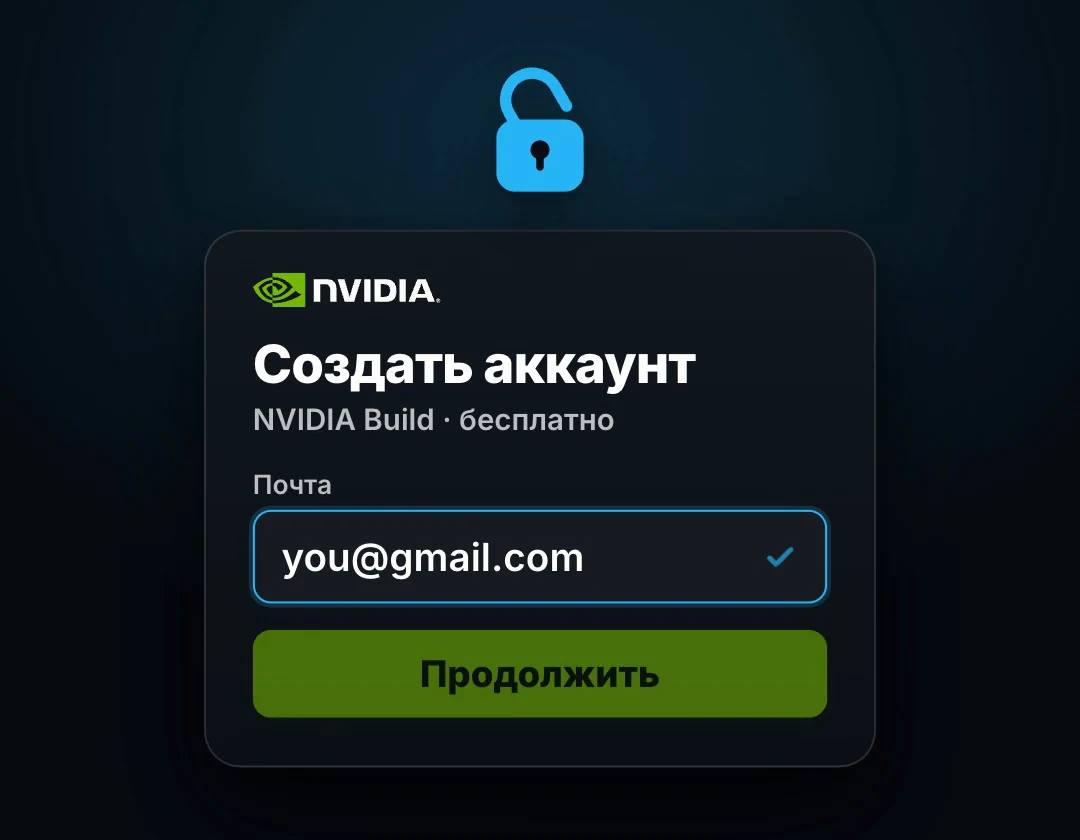
Open build.nvidia.com and click Login in the top right corner. Create an NVIDIA account with your email and confirm it from the email.
Open any model page, for example build.nvidia.com/moonshotai/kimi-k3, on the Build tab. Click Generate API Key [1]. The site asks you to verify a phone: pick the country code, enter the number and the code from the SMS [13].
The key starts with nvapi-. Copy it and save it in a password manager: it is shown in full only once. Do not send the key to anyone, paste it into chats or put it into project code. If your number is not accepted, see “If the SMS does not arrive”.
One request to make sure the key works
Put your key in place of nvapi-YOUR-KEY and run the command in a terminal. The address and request format come from the code sample on the Kimi K3 page [1].
The answer should be JSON with a choices field and the model's text. A 401 or 403 error means the key was not copied in full. A 429 error means you hit 40 requests a minute: wait a minute. Kimi K3 reasons first, so the answer limit in the command is 300 tokens, not 20.
# macOS, Linux
curl -s https://integrate.api.nvidia.com/v1/chat/completions \
  -H "Authorization: Bearer nvapi-YOUR-KEY" \
  -H "Content-Type: application/json" \
  -d '{"model":"moonshotai/kimi-k3","max_tokens":300,"messages":[{"role":"user","content":"Answer in one word: working?"}]}'

# Windows PowerShell
Invoke-RestMethod -Method Post -Uri "https://integrate.api.nvidia.com/v1/chat/completions" `
  -Headers @{ Authorization = "Bearer nvapi-YOUR-KEY" } -ContentType "application/json" `
-Body '{"model":"moonshotai/kimi-k3","max_tokens":300,"messages":[{"role":"user","content":"Answer in one word: working?"}]}'Install LiteLLM: it translates Claude Code for NVIDIA
Claude Code sends requests in Anthropic's format and NVIDIA accepts OpenAI's format. LiteLLM is a free proxy that accepts Claude Code requests at /v1/messages and forwards them to the right provider [9]. It has a ready NVIDIA provider: models take the nvidia_nim/ prefix and the key comes from the NVIDIA_NIM_API_KEY variable [8].
Install uv and LiteLLM with the commands below. Then create the ~/.litellm folder and put two files from the kit there: nvidia.yaml with the four models and nvidia.env with the keys. In nvidia.env, paste your nvapi- key and make up a proxy password: it starts with sk-, then any Latin letters and digits. The proxy listens only on your computer (127.0.0.1); nobody can connect to it from outside.
# macOS, Linux
curl -LsSf https://astral.sh/uv/install.sh | sh
uv tool install 'litellm[proxy]'
mkdir -p ~/.litellm && chmod 700 ~/.litellm
# put nvidia.yaml and nvidia.env from the kit into ~/.litellm
chmod 600 ~/.litellm/nvidia.env

# Windows PowerShell
powershell -ExecutionPolicy ByPass -c "irm https://astral.sh/uv/install.ps1 | iex"
uv tool install "litellm[proxy]"
mkdir $HOME\.litellm
# put nvidia.yaml and nvidia.env from the kit into this folder
The nvidia.yaml and nvidia.env files
These are the files from the kit. The config lists four models under short names: kimi-k3, deepseek-v4.1-flash, glm-5.3 and glm-5.3-flash. The drop_params setting drops parameters a model does not accept, and num_retries repeats a request if NVIDIA answers 429 because of the 40-requests-a-minute limit.
~/.litellm/nvidia.yaml + nvidia.envRead the full file
# LiteLLM: Claude Code -> free NVIDIA Build models (build.nvidia.com)
# Run: litellm --config ~/.litellm/nvidia.yaml --host 127.0.0.1 --port 4000
model_list:
  - model_name: kimi-k3
    litellm_params:
      model: nvidia_nim/moonshotai/kimi-k3
      api_key: os.environ/NVIDIA_NIM_API_KEY
  - model_name: deepseek-v4.1-flash
    litellm_params:
      model: nvidia_nim/deepseek-ai/deepseek-v4.1-flash
      api_key: os.environ/NVIDIA_NIM_API_KEY
  - model_name: glm-5.3
    litellm_params:
      model: nvidia_nim/z-ai/glm-5.3
      api_key: os.environ/NVIDIA_NIM_API_KEY
  - model_name: glm-5.3-flash
    litellm_params:
      model: nvidia_nim/z-ai/glm-5.3-flash
      api_key: os.environ/NVIDIA_NIM_API_KEY

litellm_settings:
  drop_params: true      # drop parameters the model does not accept
  request_timeout: 600
  num_retries: 2         # retry on 429: the limit is 40 requests a minute

general_settings:
  master_key: os.environ/LITELLM_MASTER_KEY

# ~/.litellm/nvidia.env
# Your NVIDIA key from build.nvidia.com, it starts with nvapi-. Never share this file or commit it to git.
NVIDIA_NIM_API_KEY=nvapi-PASTE-YOUR-KEY
# The password of your local proxy. It must start with sk-, then any Latin letters and digits.
LITELLM_MASTER_KEY=sk-local-change-me-1234567890Run claude-nvidia instead of claude when the limit runs out
The claude-nvidia script from the kit starts the proxy if it is not running yet and launches Claude Code with the proxy's address and password. These are Claude Code's official gateway variables: ANTHROPIC_BASE_URL and ANTHROPIC_AUTH_TOKEN [10]. The variables apply only to this run, so ~/.claude/settings.json is not touched and the plain claude command stays on your subscription.
Kimi K3 is the default. Claude Code's small background tasks, such as session titles, go to the fast GLM 5.3 Flash. The -c flag continues the last conversation in this folder, so the task where the limit ran out carries on. If the model stumbles over the old history, start a new session and ask it to read the project plan.
On Windows the same script is in the kit as claude-nvidia.ps1. After you exit Claude Code it clears the variables, and the PowerShell window is back on your subscription.
claude-nvidiaRead the full file
# install (macOS, Linux)
mkdir -p ~/.local/bin
cp claude-nvidia.sh ~/.local/bin/claude-nvidia && chmod +x ~/.local/bin/claude-nvidia

# daily use
claude-nvidia                                   # Kimi K3
claude-nvidia -c                                # continue the last conversation
NV_MODEL=deepseek-v4.1-flash claude-nvidia      # another model

# Windows
powershell -ExecutionPolicy Bypass -File $HOME\.litellm\claude-nvidia.ps1

# claude-nvidia.sh
#!/usr/bin/env bash
# Claude Code on free NVIDIA models through LiteLLM. The plain claude command stays on your subscription.
#   claude-nvidia                                  Kimi K3
#   claude-nvidia -c                               continue the last conversation in this folder
#   NV_MODEL=deepseek-v4.1-flash claude-nvidia     another model: deepseek-v4.1-flash, glm-5.3, glm-5.3-flash
set -euo pipefail
DIR="$HOME/.litellm"
set -a; . "$DIR/nvidia.env"; set +a
PORT=4000
alive() { curl -fs "http://127.0.0.1:$PORT/health/liveliness" >/dev/null 2>&1; }
if ! alive; then
  echo "Starting LiteLLM on 127.0.0.1:$PORT ..."
  nohup litellm --config "$DIR/nvidia.yaml" --host 127.0.0.1 --port "$PORT" >"$DIR/proxy.log" 2>&1 &
  for _ in $(seq 1 90); do alive && break; sleep 1; done   # the first LiteLLM start can be slow
  alive || { echo "LiteLLM did not start, see $DIR/proxy.log"; exit 1; }
fi
MODEL="${NV_MODEL:-kimi-k3}"
export ANTHROPIC_BASE_URL="http://127.0.0.1:$PORT"
export ANTHROPIC_AUTH_TOKEN="$LITELLM_MASTER_KEY"
export ANTHROPIC_MODEL="$MODEL"
export ANTHROPIC_DEFAULT_OPUS_MODEL="$MODEL"
export ANTHROPIC_DEFAULT_SONNET_MODEL="$MODEL"
export ANTHROPIC_DEFAULT_HAIKU_MODEL="glm-5.3-flash"
export CLAUDE_CODE_SUBAGENT_MODEL="$MODEL"
export CLAUDE_CODE_ENABLE_GATEWAY_MODEL_DISCOVERY=1
export CLAUDE_CODE_DISABLE_EXPERIMENTAL_BETAS=1
exec claude "$@"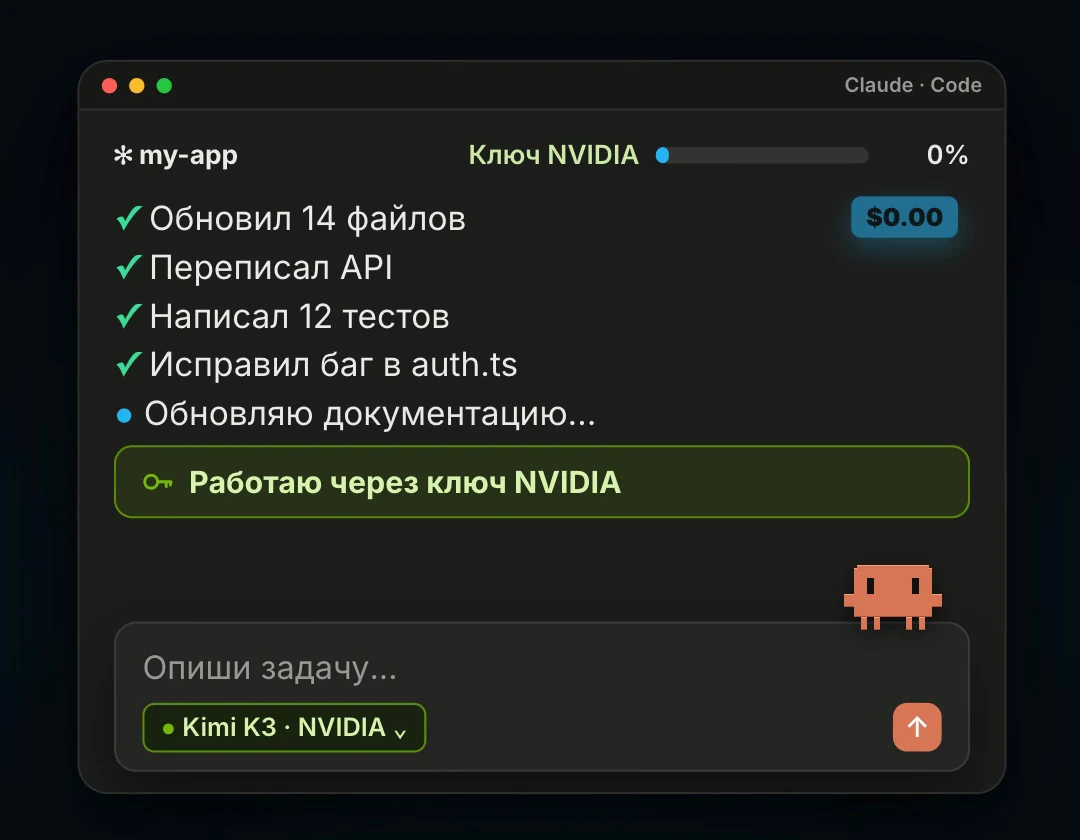
Claude Code can do all of this for you
If you do not want to do steps 3 and 4 by hand, paste this prompt into Claude Code while you still have some subscription limit. It installs LiteLLM, creates the files and the script, and tests the key and the proxy. You do not paste the key into the chat: Claude Code opens nvidia.env, you put the key there yourself and write “done”.
You are my setup assistant. Goal: when my Claude subscription hits its limit, I keep working in Claude Code on the free NVIDIA Build models (Kimi K3, DeepSeek V4.1 Flash, GLM 5.3, GLM 5.3 Flash) through a local LiteLLM proxy. The plain claude command must stay on my subscription.

I will not paste my NVIDIA key (it starts with nvapi-) into the chat: I will put it into the file you create.

Work step by step and briefly report the result after each step:
1. Detect the system: macOS, Linux or Windows. Check whether uv is installed. If not, install it with the official command from astral.sh. Install LiteLLM with uv tool install 'litellm[proxy]' and show litellm --version.
2. Create the folder ~/.litellm (on Windows %USERPROFILE%\.litellm) and in it the file nvidia.yaml with exactly this content:
# LiteLLM: Claude Code -> free NVIDIA Build models (build.nvidia.com)
# Run: litellm --config ~/.litellm/nvidia.yaml --host 127.0.0.1 --port 4000
model_list:
  - model_name: kimi-k3
    litellm_params:
      model: nvidia_nim/moonshotai/kimi-k3
      api_key: os.environ/NVIDIA_NIM_API_KEY
  - model_name: deepseek-v4.1-flash
    litellm_params:
      model: nvidia_nim/deepseek-ai/deepseek-v4.1-flash
      api_key: os.environ/NVIDIA_NIM_API_KEY
  - model_name: glm-5.3
    litellm_params:
      model: nvidia_nim/z-ai/glm-5.3
      api_key: os.environ/NVIDIA_NIM_API_KEY
  - model_name: glm-5.3-flash
    litellm_params:
      model: nvidia_nim/z-ai/glm-5.3-flash
      api_key: os.environ/NVIDIA_NIM_API_KEY

litellm_settings:
  drop_params: true      # drop parameters the model does not accept
  request_timeout: 600
  num_retries: 2         # retry on 429: the limit is 40 requests a minute

general_settings:
  master_key: os.environ/LITELLM_MASTER_KEY

3. In the same folder create nvidia.env with two lines: NVIDIA_NIM_API_KEY=nvapi-PASTE-YOUR-KEY and LITELLM_MASTER_KEY=sk-local- followed by 24 random Latin letters and digits. On macOS and Linux set its permissions to 600. Open the file for me in an editor and wait until I paste the key and write "done". Do not read the file and never print the key.
4. After "done", test the key with one request to NVIDIA: POST https://integrate.api.nvidia.com/v1/chat/completions, header Authorization: Bearer with the key from nvidia.env, model moonshotai/kimi-k3, message "Answer in one word: working?", max_tokens 300. Show only the status code and the model's text.
5. Create the launcher. On macOS and Linux it is ~/.local/bin/claude-nvidia, executable: it loads ~/.litellm/nvidia.env, starts litellm --config ~/.litellm/nvidia.yaml --host 127.0.0.1 --port 4000 in the background with its log in ~/.litellm/proxy.log if the proxy does not yet answer on /health/liveliness, and runs claude "$@" with ANTHROPIC_BASE_URL=http://127.0.0.1:4000, ANTHROPIC_AUTH_TOKEN=the LITELLM_MASTER_KEY value, ANTHROPIC_MODEL, ANTHROPIC_DEFAULT_OPUS_MODEL, ANTHROPIC_DEFAULT_SONNET_MODEL and CLAUDE_CODE_SUBAGENT_MODEL set to $NV_MODEL or kimi-k3, ANTHROPIC_DEFAULT_HAIKU_MODEL=glm-5.3-flash, CLAUDE_CODE_ENABLE_GATEWAY_MODEL_DISCOVERY=1, CLAUDE_CODE_DISABLE_EXPERIMENTAL_BETAS=1. On Windows do the same as %USERPROFILE%\.litellm\claude-nvidia.ps1 and clear those variables after claude exits. Make sure the script's folder is on PATH.
6. Start the proxy and test it with an Anthropic-format request: POST http://127.0.0.1:4000/v1/messages, headers Authorization: Bearer with LITELLM_MASTER_KEY and anthropic-version: 2023-06-01, model kimi-k3, max_tokens 300. Show the status code and the text.
7. Explain in four lines: how I work normally, how I switch to free mode (claude-nvidia, and claude-nvidia -c continues the last conversation in the folder), how to pick another model (NV_MODEL=deepseek-v4.1-flash claude-nvidia) and where the log is.

Rules: never write the key into project files, git or this chat. Do not change ~/.claude/settings.json. Delete nothing. If a command fails, show the error and propose a fix before going further.
The copy includes a link to the resource library. For agents ↗
Kimi K3 for code, DeepSeek for huge files
You choose the model at launch with the NV_MODEL variable. The script also turns on gateway model discovery in Claude Code's /model menu [10]; if it works, the model names appear right in the menu.
Kimi K3 handles long work with code and tools best. DeepSeek V4.1 Flash is faster, with only 8 of its 552 billion parameters active [2]: use it when you need to read a whole project, a big export or a book. GLM 5.3 suits long agent tasks, GLM 5.3 Flash quick small edits.
- NV_MODEL=kimi-k3: code, refactoring, work with tools (the default)
- NV_MODEL=deepseek-v4.1-flash: huge files and the whole project at once
- NV_MODEL=glm-5.3: long agent tasks
- NV_MODEL=glm-5.3-flash: quick small tasks
Three signs NVIDIA is answering, not your subscription
In Claude Code, run /status. The Anthropic base URL line should show http://127.0.0.1:4000, and the Auth token line the ANTHROPIC_AUTH_TOKEN variable [10]. That means requests go to the proxy, not to your subscription.
The second check: the proxy lists its four models. The third: the proxy log shows requests to nvidia_nim. Asking the model who it is does not help: Claude Code's own system instructions introduce it as Claude.
# in Claude Code
/status

# in a terminal: the proxy's model list
set -a; . ~/.litellm/nvidia.env; set +a
curl -s http://127.0.0.1:4000/v1/models -H "Authorization: Bearer $LITELLM_MASTER_KEY"

# the proxy log
tail -f ~/.litellm/proxy.log
Any agent with an OpenAI-compatible connection
Programs that can connect an OpenAI-compatible provider need no proxy. In the settings, pick the OpenAI Compatible provider and enter the three values below. Cline, for example, connects this way [14]. Model names are written in full, as in the code samples on build.nvidia.com [1][2][3][4].
- Base URL: https://integrate.api.nvidia.com/v1
- API key: your nvapi-… key
- Model: moonshotai/kimi-k3, deepseek-ai/deepseek-v4.1-flash, z-ai/glm-5.3 or z-ai/glm-5.3-flash
+7 numbers and other countries off the list
As of September 2026, the +7 code is not on the list of countries for SMS verification, so users from Russia and Kazakhstan cannot create a key the usual way. There are similar complaints from Bangladesh and China [7].
The official route NVIDIA gives on its forum: write to help@build.nvidia.com and ask for manual verification. Include your account email, the number you tried to verify and the error text [7]. There is no guarantee and the answer may take a while. We do not recommend getting around the check with other people's or virtual numbers.
While you have no key, there is another free route for Claude Code through other providers' free tiers. It is covered in the article about FreeLLMAPI.
What to know before you rely on it
This is trial access, not a plan. It suits personal experiments and learning, not client work.
- NVIDIA's terms allow trial access for testing only, not production use [5]
- NVIDIA may use requests and responses to improve its products and models [5], and the site's chat explicitly asks you not to upload anything confidential [1]. Do not send client code, passwords or personal data
- About 1,000 credits and 40 requests a minute [6]. Claude Code makes several requests per step, so a long task can hit the limit; the proxy retries by itself
- Anthropic does not officially support running Claude Code on non-Claude models [11]. A Claude Code update can break compatibility; then update LiteLLM with uv tool upgrade litellm
- Open models are strong, but they are not Claude: in complex tasks they make more tool-use mistakes
- Remote Control and Claude Code voice input do not work in this mode [10]
- NVIDIA's catalog and limits change: a model can be removed or renamed
Sources & context
- NVIDIA Build · moonshotai/kimi-k3
Code sample with the moonshotai/kimi-k3 model and integrate.api.nvidia.com, 1M window, Free Endpoint: Available, the Generate API Key button, partner prices of 3 and 15 dollars per 1M tokens, the note on recording requests.
- NVIDIA Build · deepseek-ai/deepseek-v4.1-flash
The deepseek-ai/deepseek-v4.1-flash model: 552B MoE, 8B active, a 1,048,576-token window, on build.nvidia.com since 18 Sep 2026.
- NVIDIA Build · z-ai/glm-5.3
The z-ai/glm-5.3 model: a 753B MoE for complex code and agent work, 1M window, Free Endpoint: Available.
- NVIDIA Build · z-ai/glm-5.3-flash
The z-ai/glm-5.3-flash model: a 320B MoE with 18B active, a window of up to 1,048,576 tokens.
- NVIDIA API Trial Terms of Service
Section 1.2: trial access only, no production. Section 3.3: requests and responses may be used to improve NVIDIA products and models.
- NVIDIA Developer Forums · credits and rate limits
1,000 credits at sign-up, up to 5,000 on request, 40 requests a minute on the free tier.
- NVIDIA Developer Forums · Russia (+7) phone verification
The +7 code is not on the SMS list; manual verification via help@build.nvidia.com. Similar threads from Kazakhstan, Bangladesh and China.
- LiteLLM · NVIDIA NIM provider
The nvidia_nim/ prefix, the NVIDIA_NIM_API_KEY variable, integrate.api.nvidia.com/v1 by default.
- LiteLLM · Claude Code with non-Anthropic models
The proxy accepts Claude Code requests in Anthropic's format at /v1/messages; install with uv tool install 'litellm[proxy]'.
- Claude Code · Connect to an LLM gateway
ANTHROPIC_BASE_URL and ANTHROPIC_AUTH_TOKEN, checking with /status, gateway model discovery, CLAUDE_CODE_DISABLE_EXPERIMENTAL_BETAS, Remote Control and voice unavailable.
- Claude Code · LLM gateways
Anthropic does not support routing Claude Code to non-Claude models through gateways.
- akitaonrails · LLM benchmarks: Kimi K3
An independent coding test: Kimi K3 89, Claude Opus 4.6 83, Claude Opus 4.8 95.
- GenAI Unplugged · Free Claude Code Kimi K3 setup with NVIDIA (24.09.2026)
The same LiteLLM setup; signing up on build.nvidia.com requires email and phone verification.
- DEV Community · Use NVIDIA Build: free AI models
Connecting the NVIDIA key in Cline through the OpenAI Compatible provider, the integrate.api.nvidia.com/v1 address.
- X · @pengsonal, 453K views
The post the reel started from: NVIDIA gives 4 strong models for free, no card needed.
See you in the next piece.
Back to the journal